IOS NODE UPDATE
iOS Node Update Tutorial (Shadowrocket)
Delete old subscribe → copy new URL → re-import · about 3 minutes
1Delete the old subscription
① Open Shadowrocket and go to Config
Open Shadowrocket and tap Config.
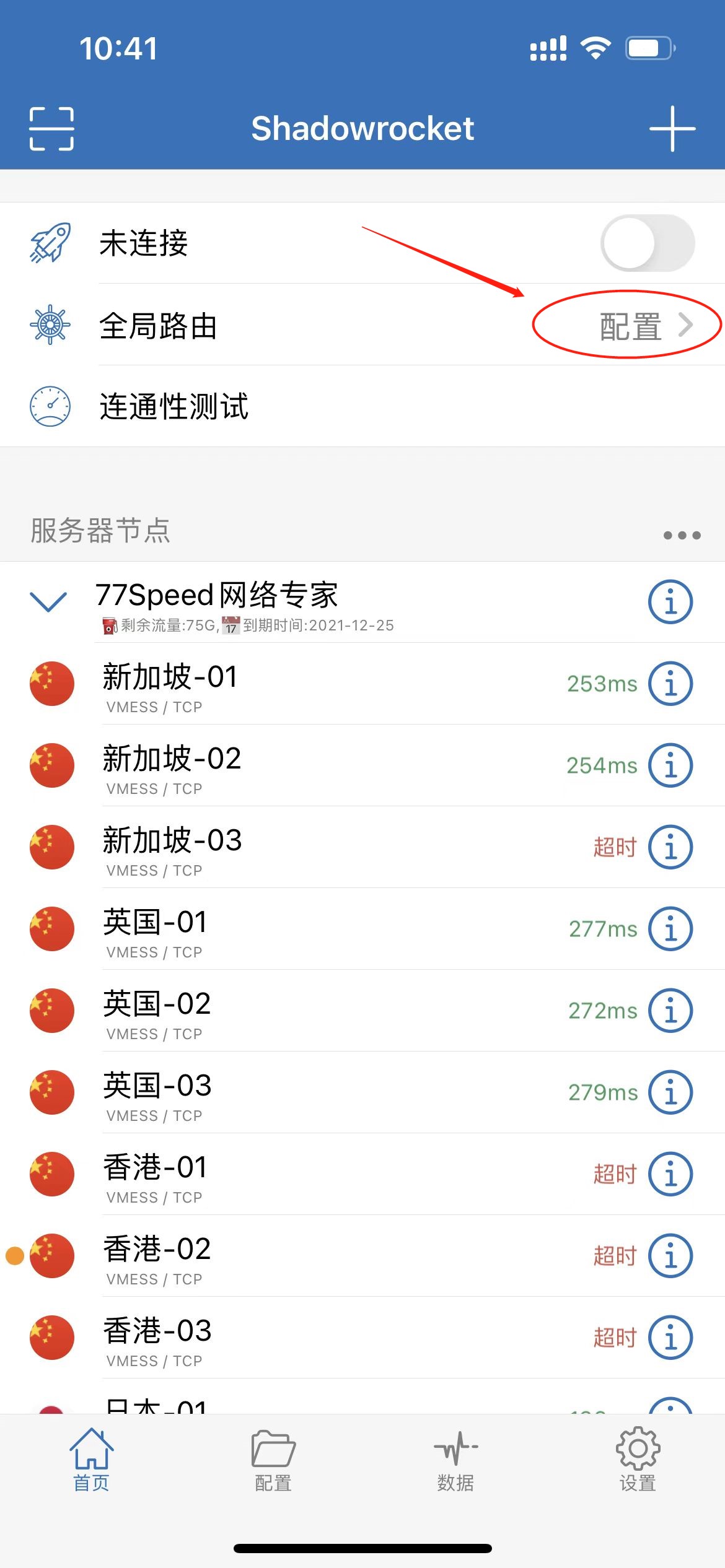
▲ Config screen
② Delete the old subscribe
Select the outdated subscription and tap Delete before importing a fresh one.
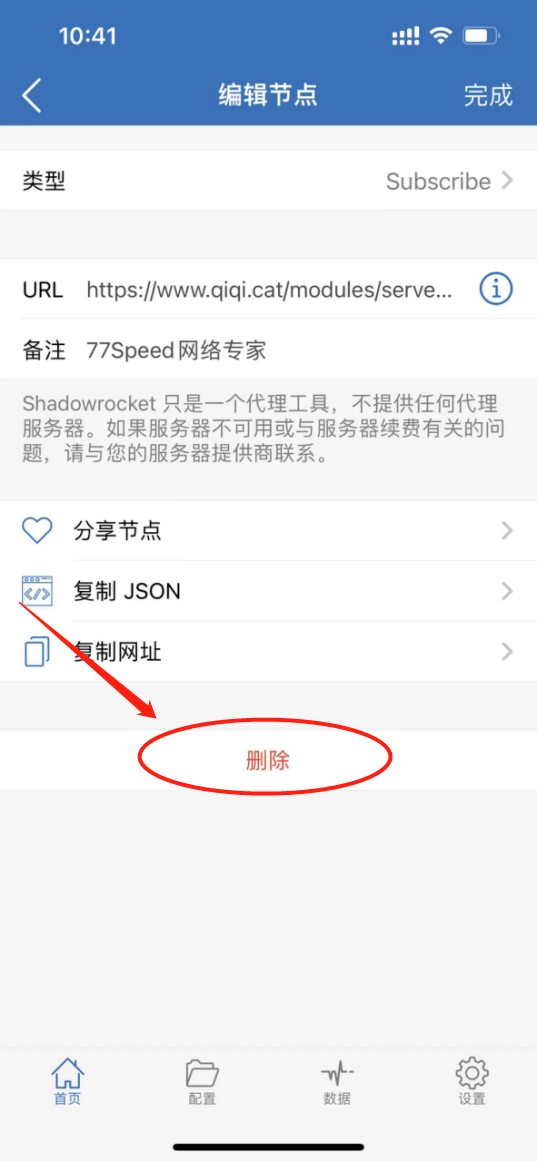
▲ Delete old subscribe
2Copy the subscription URL from the website
① Sign in and open your plan
Open https://www.qiqi.cat, sign in, open your client area, then tap the plan you purchased.
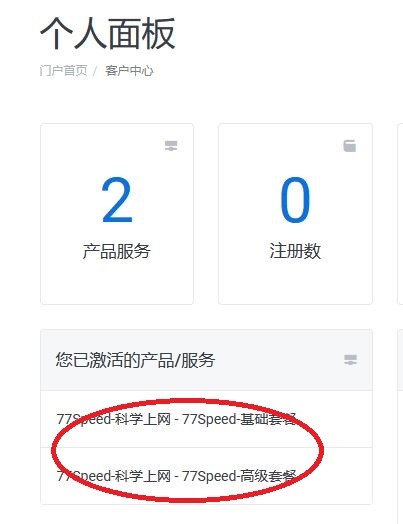
▲ Client plan page
② Reset and copy the Shadowrocket URL
On the plan page, find Subscription Info, tap Reset first, then copy the Shadowrocket URL under the platform URLs.
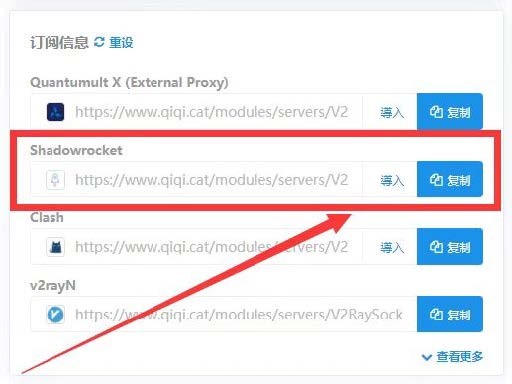
▲ Copy Shadowrocket subscription URL
3Re-import the subscription
① Add a Subscribe type
Open Shadowrocket, tap + at the top-right on the home screen, and set the type to Subscribe.
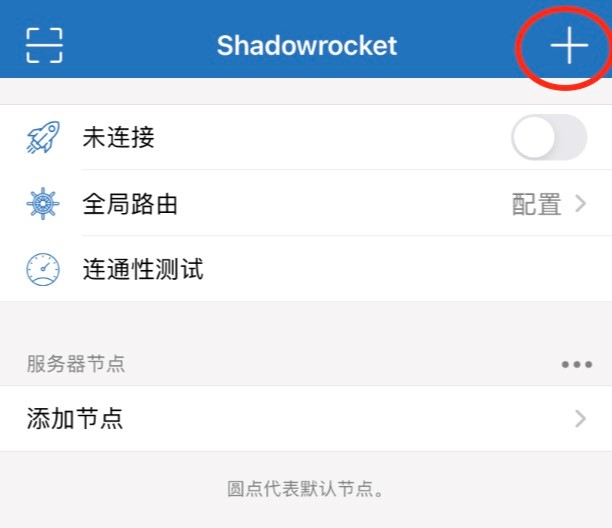
▲ Tap + on the home screen
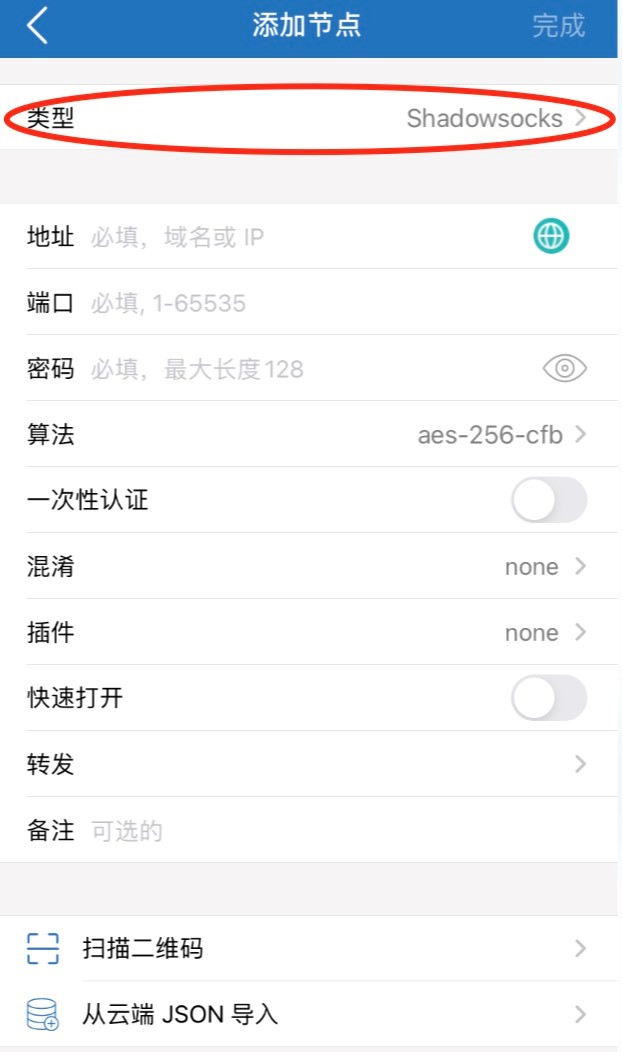
▲ Choose type
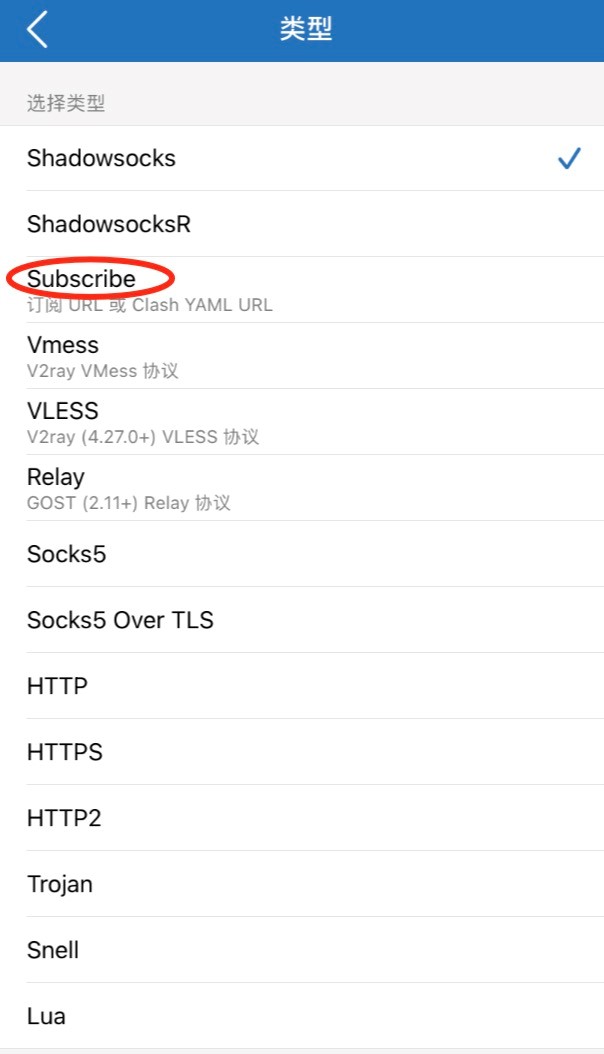
▲ Set type to Subscribe
② Paste the URL and finish
Paste the URL copied from the product panel into the URL field, then tap Done. After nodes import, select a node and start using the service.
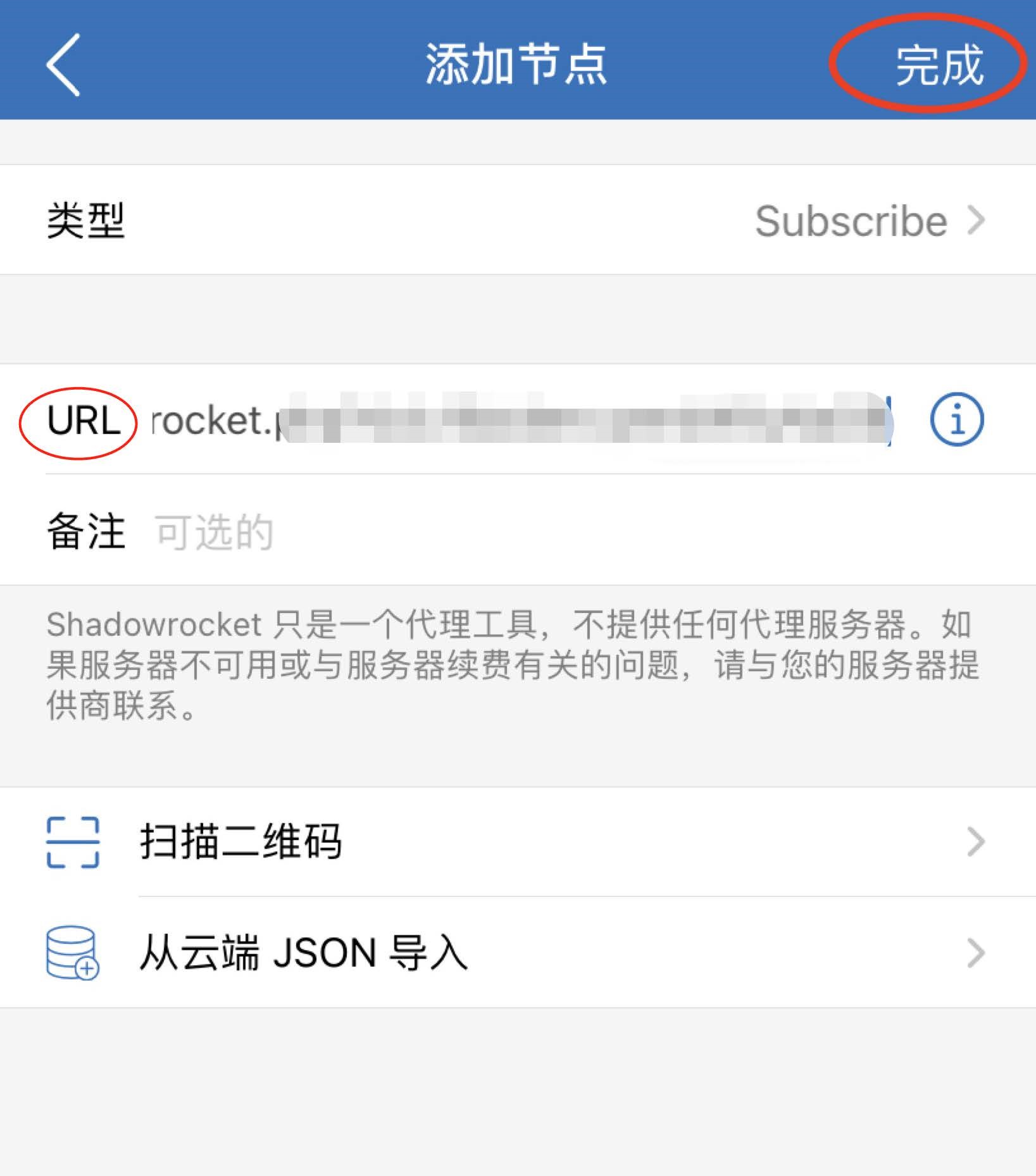
▲ Paste URL and tap Done
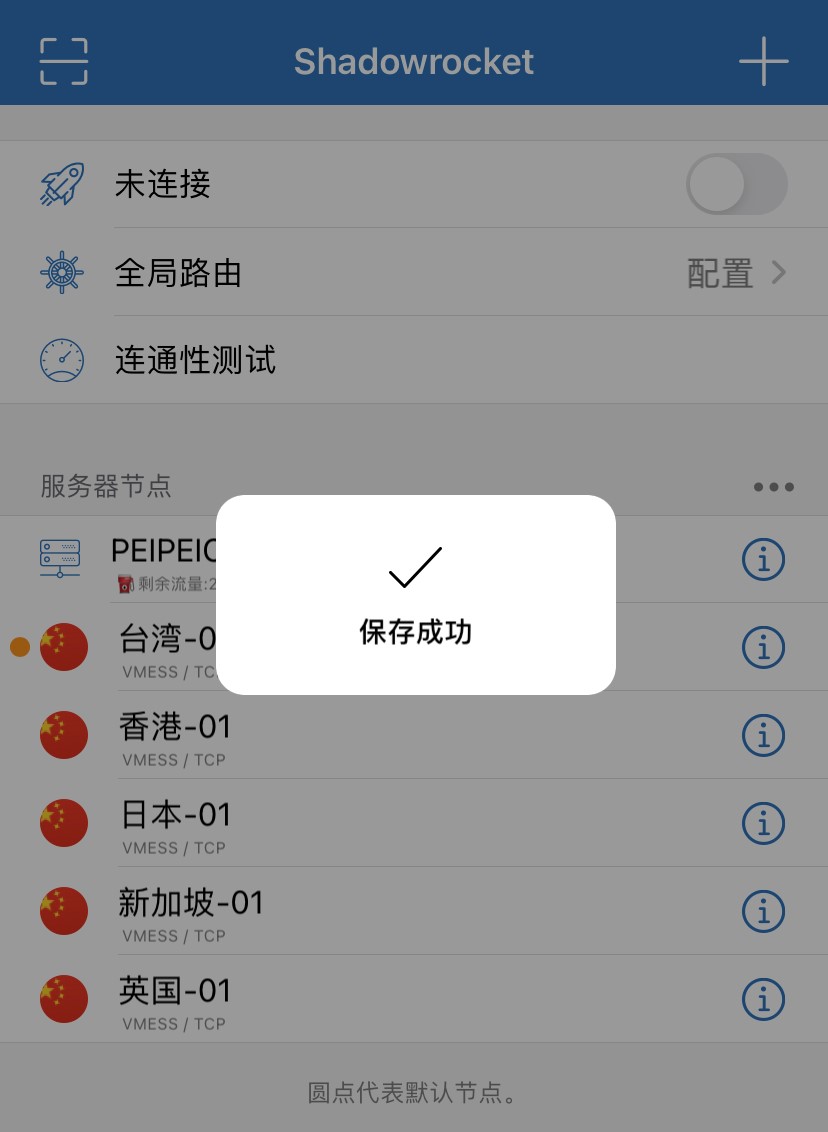
▲ Nodes imported
Tips
✔ Delete the old subscribe first to avoid conflicts or failed refresh
✔ Tap Reset before copying so you get the latest subscription URL
✔ Type must be Subscribe, not a regular proxy node
✔ Still stuck? Open a ticket or contact live support