ANDROID CLIENT
77Speed Android Tutorial
From download to connection in 3 steps · about 2 minutes
1Download the app
Click the button below to download the latest installer:
77Speed.apk installer
Official direct link · install after download
⬇ Download installer
Download failed or too slow? Go to yun.qiqi.cat cloud drive and download manually (Android_client folder)
⚠️ Note: After install, grant the app all permissions, or it may not work or may run slowly.
2Install and use
① Finish installation
During install the system may warn that the app is “risky” or “unverified”. Choose Continue install or Ignore risk after confirming there is no risk, then finish installation.
② Sign in
After install, open the app and sign in from the top-left (same username/password as the website).
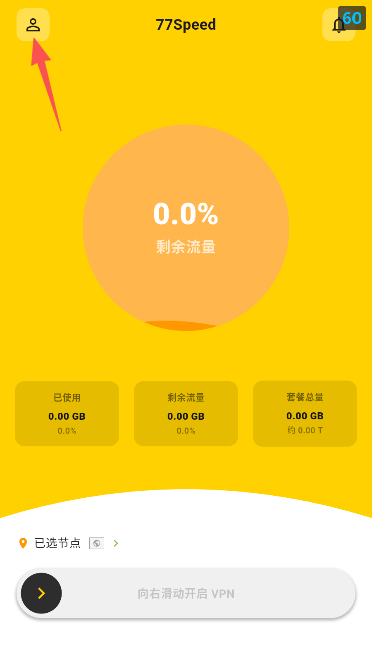
▲ App login screenpreview
③ Connect
Return to the home screen, slide to enable VPN to start the VPN connection.
Tips
✔ Grant all permissions to avoid failures or slow speeds
✔ Use the same account as the website; if login fails, check account status first
✔ Direct download failed? Download manually from yun.qiqi.cat
✔ Still stuck? Open a ticket or contact live support